Fire door inspection software
Clarity at every door.
Book the visit, inspect the door, issue the report and price the remedial work. One record from the resident's letterbox to the client's desk.
Inspect. Record. Report.
- 01BookResidents choose a slot from a private link.
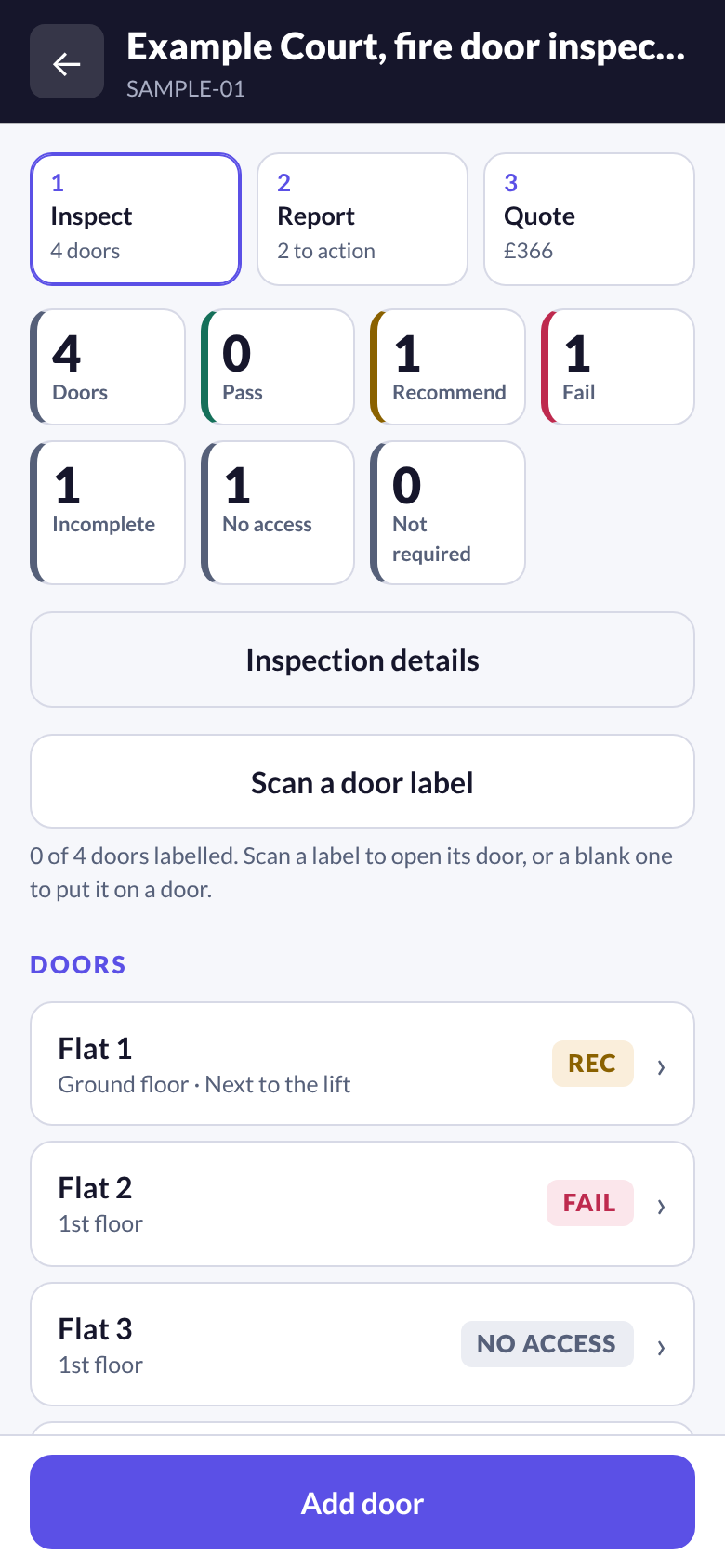
- 02InspectTen components and every gap, door by door.
- 03ReportOne action to a line, a door to a page.
- 04QuotePriced from your own rate card.
- 05ShareA read only portal for your client.
What sets it apart
Six decisions you will notice on the first job.
Most inspection software has a checklist, a QR code and a login for the client. These are the places DOORSHA chose differently, and why.
It refuses to overstate.
A status light cannot make a door compliant. DOORSHA holds the report while a result is missing, a fail has no action or a pass contradicts the measurements, and says which door and why. It never calls a building compliant.
02The report is written for the person doing the work.
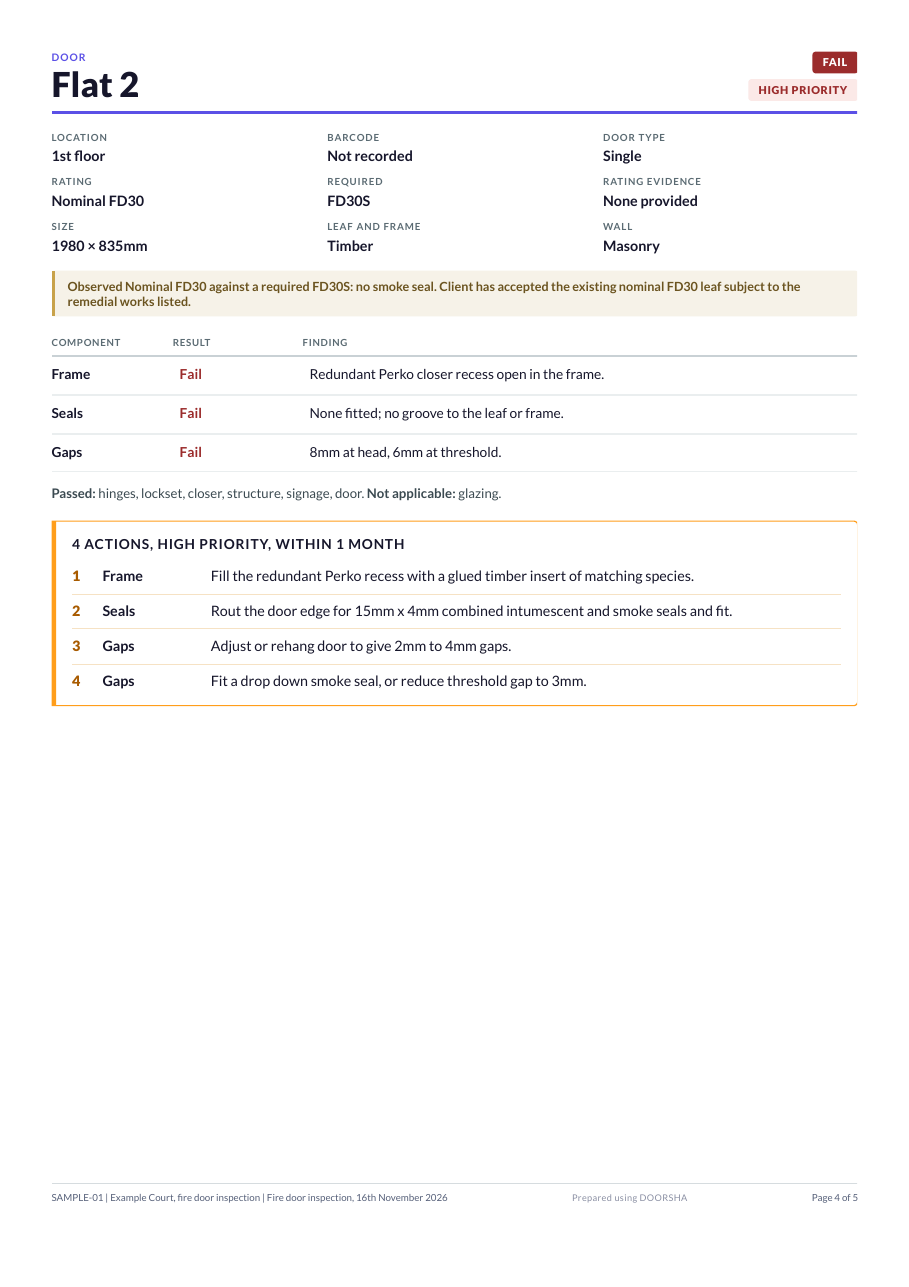
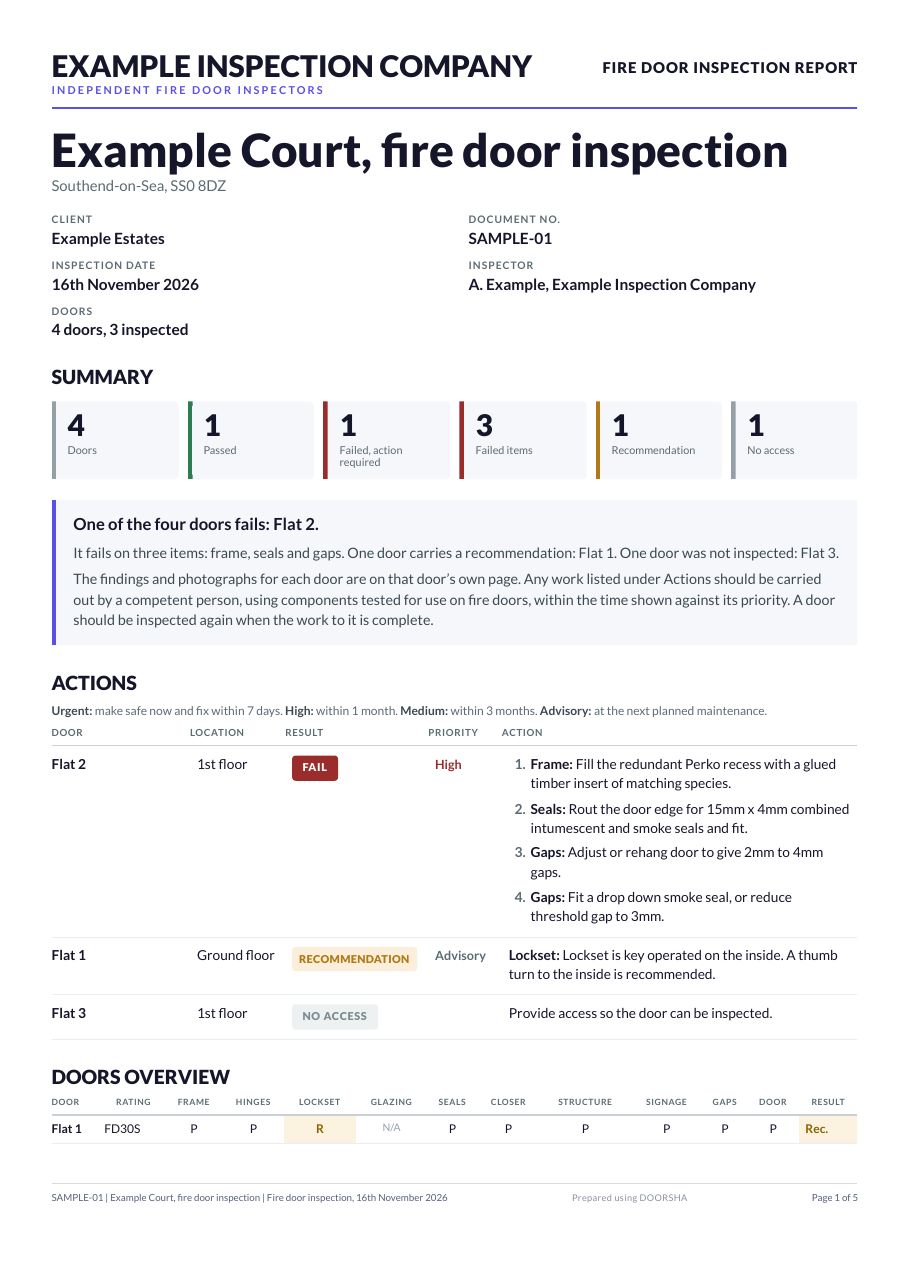
One action to a line, named for the component. Failed items counted as well as failed doors. A door to a page. A contractor can take it up the stairs and work down the list.
03Labels start blank.
You arrive with a sheet of numbered stickers and assign them as you go. Nobody prints a label for a door they have not seen, and nobody goes back to stick one on.
04Residents book themselves in.
A private link on a letter through the door. No app to install and no account to create. A booking is kept strictly apart from an inspection, so an appointment never looks like a door inspected.
05The portal shows what was issued.
Your client sees the report as it left you and the figures that belong to it. Nothing is recalculated behind your back, nothing in draft leaks out, and the people you invite never cost a seat.
06Your company leads. Your prices total the quote.
Your name and logo head the report, your wording closes it and your rate card prices the remedial work from the same inspection. DOORSHA stays in the footer.
Capture
Built for the work in front of you.
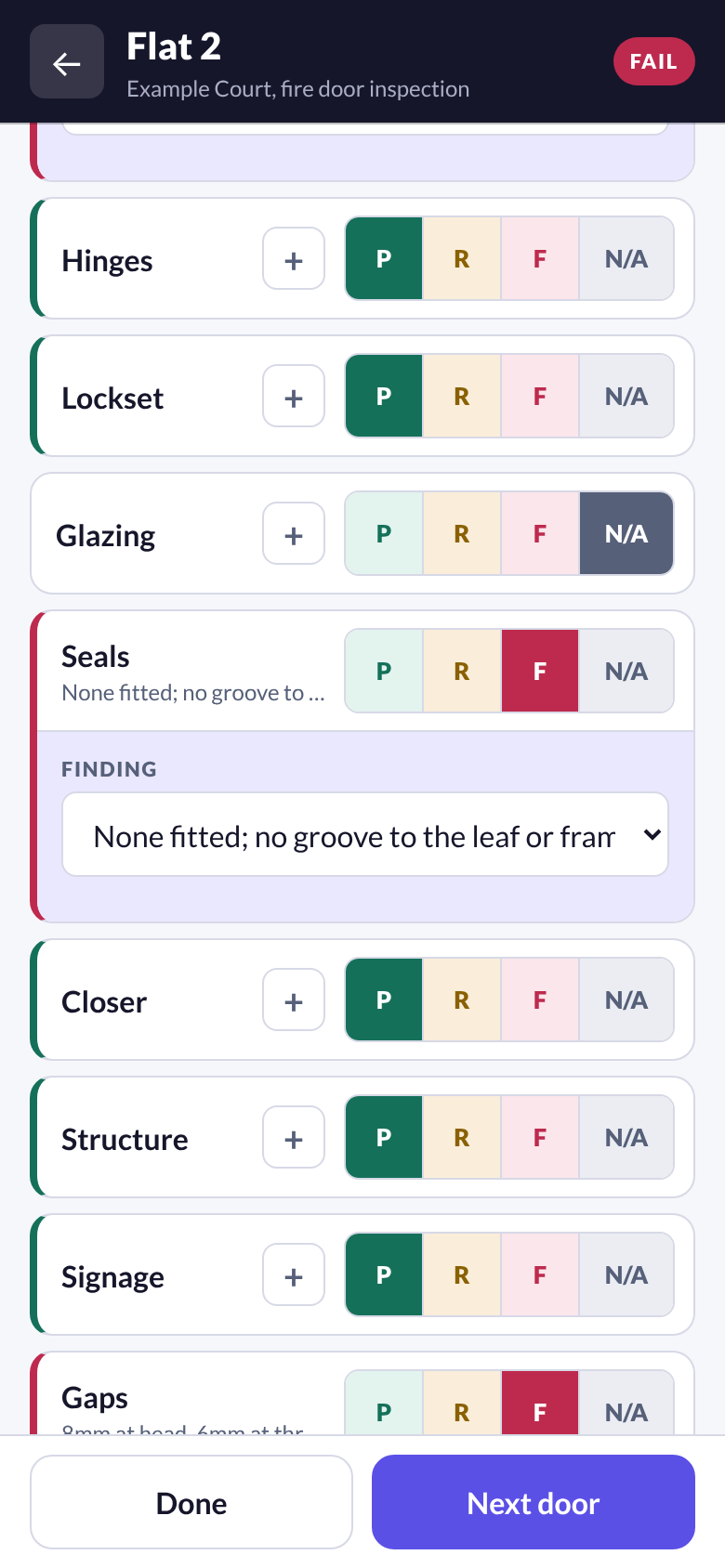
Every component is one tap: pass, recommendation, fail or not applicable. A fail opens a finding, so the reason is recorded at the door and not reconstructed in the van. It is all saved on the phone first, signal or no signal.
- Rating, and the evidence behind the rating
- Gaps measured at head, hinge, lock and threshold
- Photographs attached to the door
- A finding library with the matching repair
Honest by default
A record that will not overstate itself.
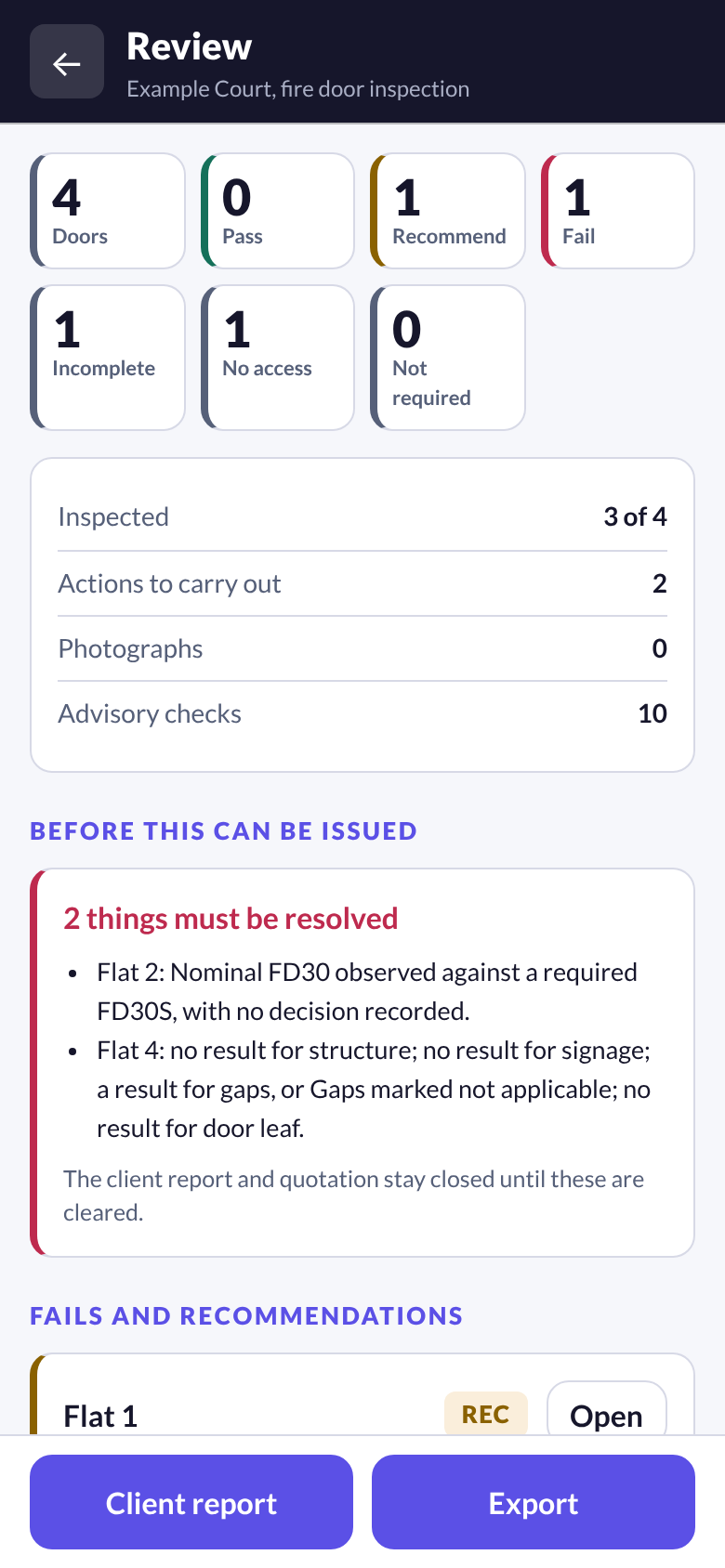
Missing work stays missing. Where a check has no result, a fail has no action or the measured gaps contradict a pass, the report and the quotation stay closed and the review screen says exactly why. The judgement stays with the inspector. The software only refuses to print what the record does not support.
- Unrecorded results stay incomplete, never a pass
- A door with no access is reported as not inspected
- The reason a document is held is listed in plain words
Reports and quotations
Your company leads. The tradesman can follow it.
The report opens with your name, a drafted summary and a table of actions with one repair to a line. Each door then has a page of its own. The remedial quotation is priced from your rate card out of the same inspection.
- Failed items counted as well as failed doors
- Your own summary wording and disclaimer
- Recommendations priced apart from required work
- Sent as a link or a PDF, named for the building and date
Door labels
Stick a label on. Scan it. Move on.
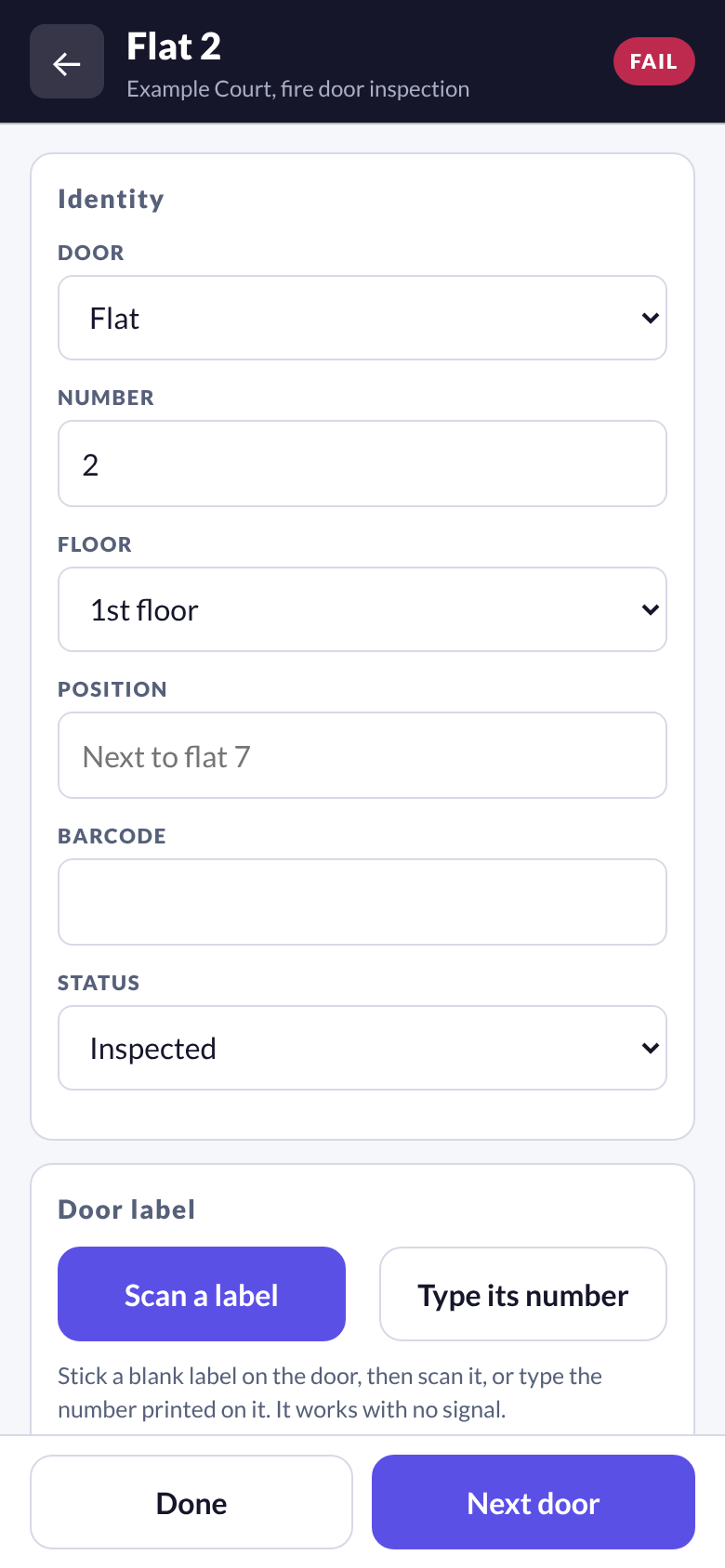
Print sheets of blank numbered QR labels in the office and assign them on site. Next year a scan on the landing opens that door and its history, with no signal and no searching a list.
- 65 labels to a sheet, with your logo beside ours
- A check digit refuses a mistyped number
- A reinspection starts with every door already listed
Client portal
The record your client can open themselves.
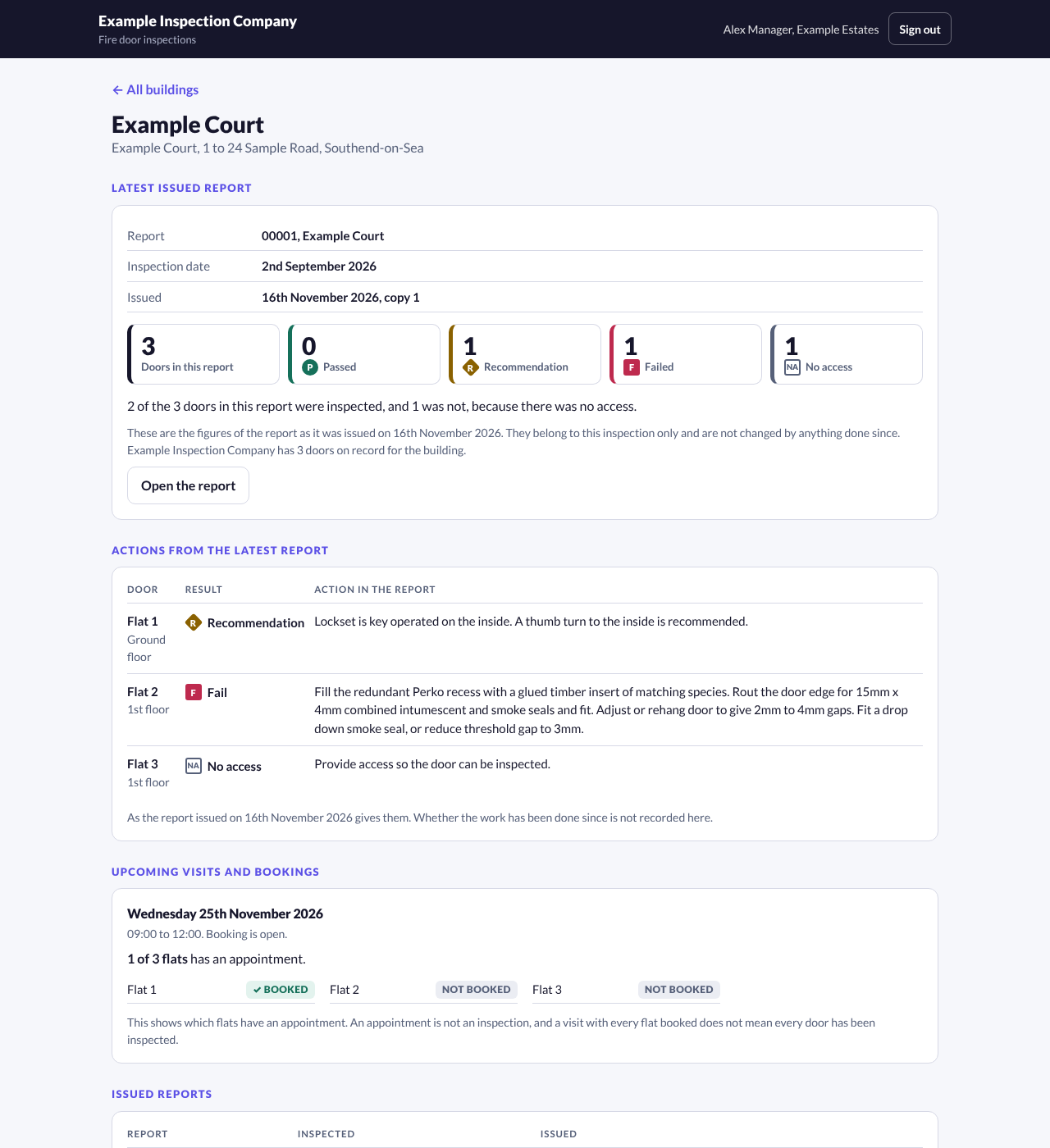
Invite the managing agent's people to a read only portal under your company name. They see the buildings you give them: the issued reports, the figures and actions those reports gave, which flats are booked for the next visit and the documents you chose to share.
- People at a client never take a seat
- Nothing in draft is ever shown
- It never states that a building is compliant
The name
Where DOORSHA comes from.
DOORSHA
DOORSHA is a coined name inspired by doirse, the Irish word for doors. The spelling carries the sound to English speakers, and the pair of letters in the middle became the mark: two doorways, side by side.
The story behind the nameThe whole product
Nine parts, one record.
Each part feeds the next, so nothing is typed twice between the first letter to a resident and the last line of the quotation.
Capture on site
One door at a time, on the phone in your hand.
8 featuresReview
It will not issue what the record does not support.
4 featuresClient reports
A report a tradesman can work from.
8 featuresRemedial quotations
The quotation comes from the same inspection.
4 featuresDoor register and labels
A door keeps its history.
7 featuresPlans and documents
The building keeps its paperwork, and its doors have a place.
6 featuresVisits and resident bookings
Residents book their own slot. No app, no account.
7 featuresClient portal
Your client reads the record. They do not ring for it.
7 featuresTeam and account
One account, as many hands as the job needs.
6 featuresWho it is for
Designed around inspectors. Clear for everyone after them.
Fire door inspectors
Quick capture, precise findings, usable photographs and repeatable reports.
Fire safety businesses
Consistent report formats, a team on one account and a clear evidence history.
Property managers
Readable summaries, door references, priorities and records they can act on.
Questions
Straight answers.
Does DOORSHA decide whether a door passes?
No. The inspector records the result for each component and writes the finding. DOORSHA organises that record, checks it for gaps and produces the document. The professional judgement, and the responsibility for it, stay with the competent inspector.
Does a clean report mean the doors are compliant?
No. A report states what was inspected, what was found and what could not be confirmed on the date of the inspection. It is not a certificate and DOORSHA does not confirm compliance with any legislation or standard.
Does it work without a signal?
Yes. An inspection is saved on the device first and is complete there. Scanning a label and placing a door on a plan kept on the device also work with no signal. When the signal returns, the device backs up to the company account and sends only what changed.
Do residents need an app to book?
No. Each flat gets a private link, on a printed letter with a QR code or sent from your own email. The resident opens it on any phone, picks a time and gives a name and a number. There is no account.
What does my client see in the portal?
Only the buildings you give them, and only what has been issued: the reports, the figures and actions from those reports, booking progress by flat and the documents you chose to share. They cannot change anything, and their logins do not use a seat.
Whose name is on the report?
Yours. The issuing inspection company leads the document with its own name and logo. DOORSHA is credited discreetly in the footer.
Can I bring in reports from before?
Yes. A previous PDF report can be imported. You map its layout once, the app remembers it, and the doors arrive as the starting point for the next inspection.
What does it cost?
Pricing is per inspector, not per door or per report. The options are discussed during a demo so the seat count matches how your team works.
Next step
See it against one of your own blocks.
A short demo walks one job end to end: the visit, the labels, the inspection, the report, the quotation and the portal. Bring a building you know well.