Example reports
What the client actually receives.
Two documents come out of a DOORSHA inspection: a client report and a remedial quotation. The samples below are the real output of the application, from a fictional job.
These are samples. Both documents were produced by the current DOORSHA application from its own worked example. Every name, address, measurement and price in them is fictional. They are samples of the document format, not records of a real inspection, and nothing in them should be read as a specification for a real door.
Sample 1 of 2
Client inspection report
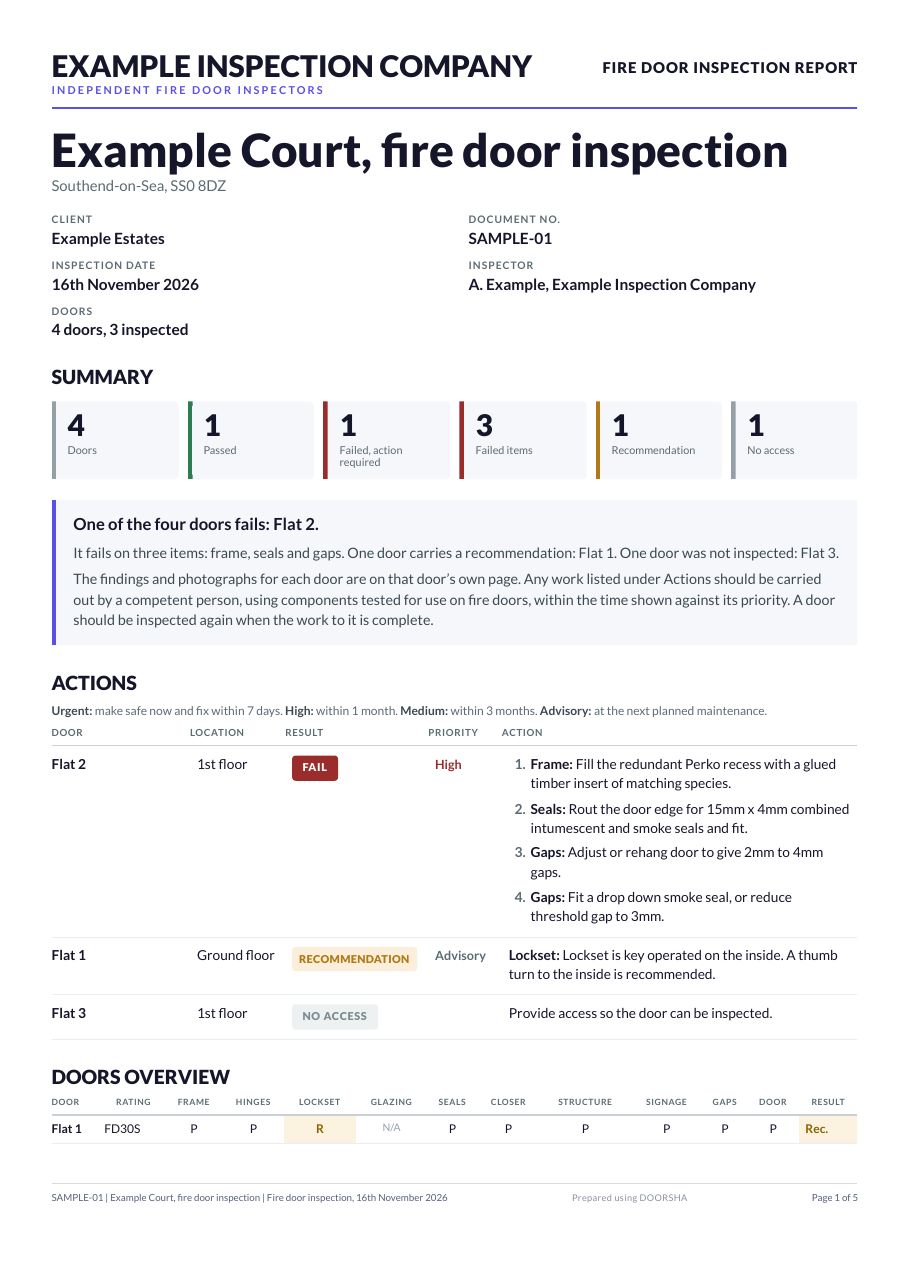
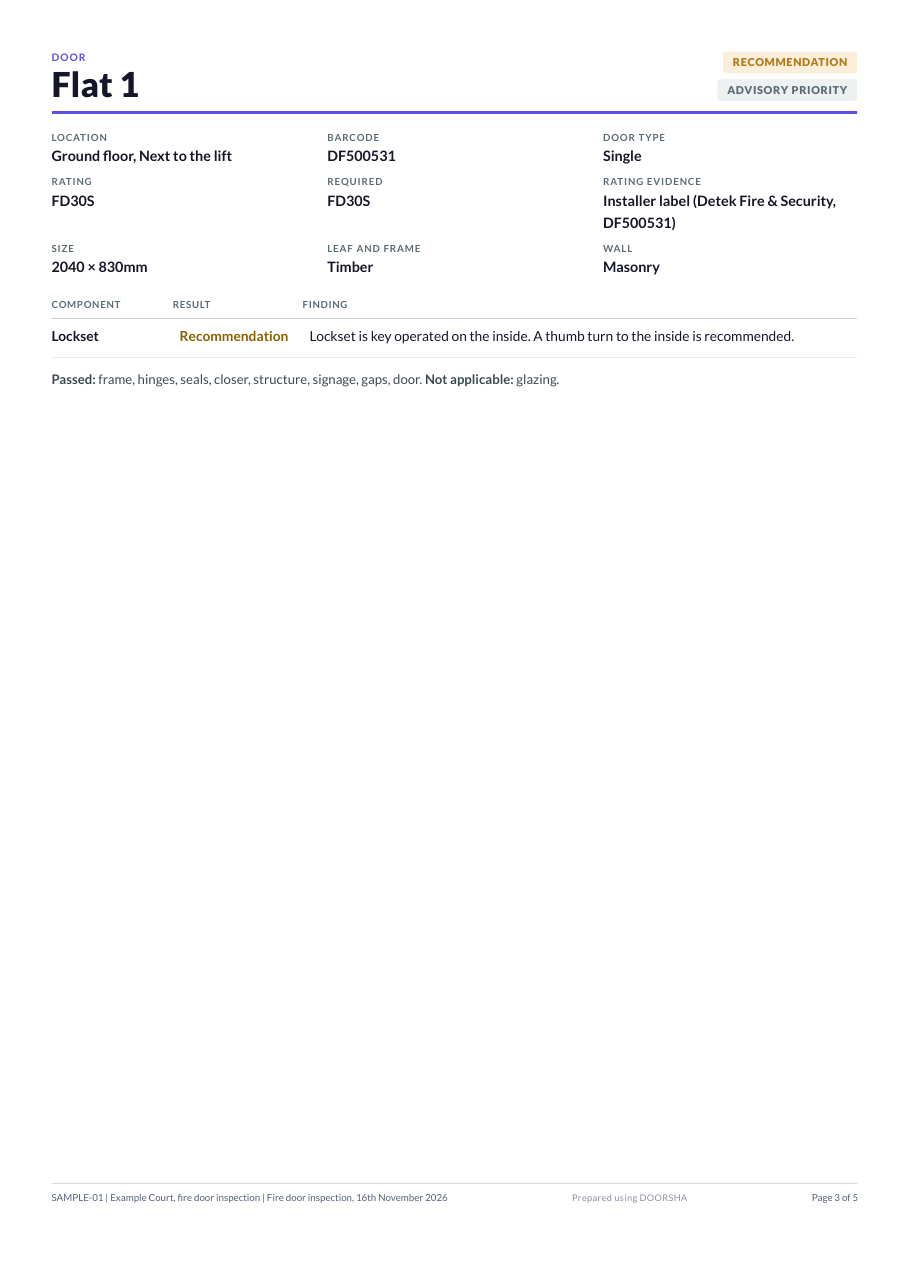
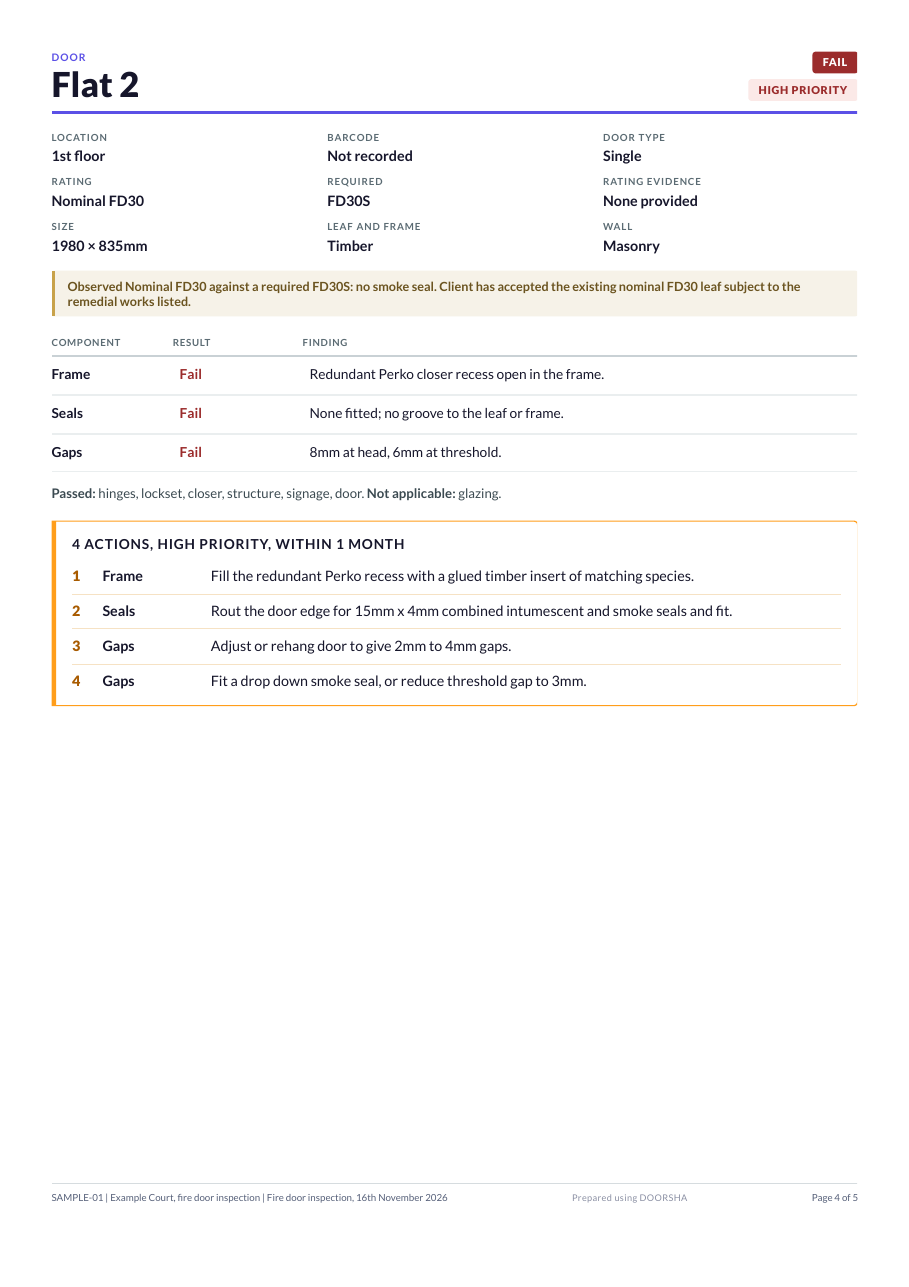
Four doors at a fictional block. One fails, one carries a recommendation, one could not be accessed and one passes. The document opens with the summary, lists the actions one to a line and then gives a page to each door.
- The issuing company at the head of the document
- Client, document number, inspection date and inspector
- Failed items counted as well as failed doors
- An actions table with a priority and one numbered repair to a line
- A page per doorset with component results and findings
- A door recorded as no access, reported as not inspected
Sample 2 of 2
Remedial quotation
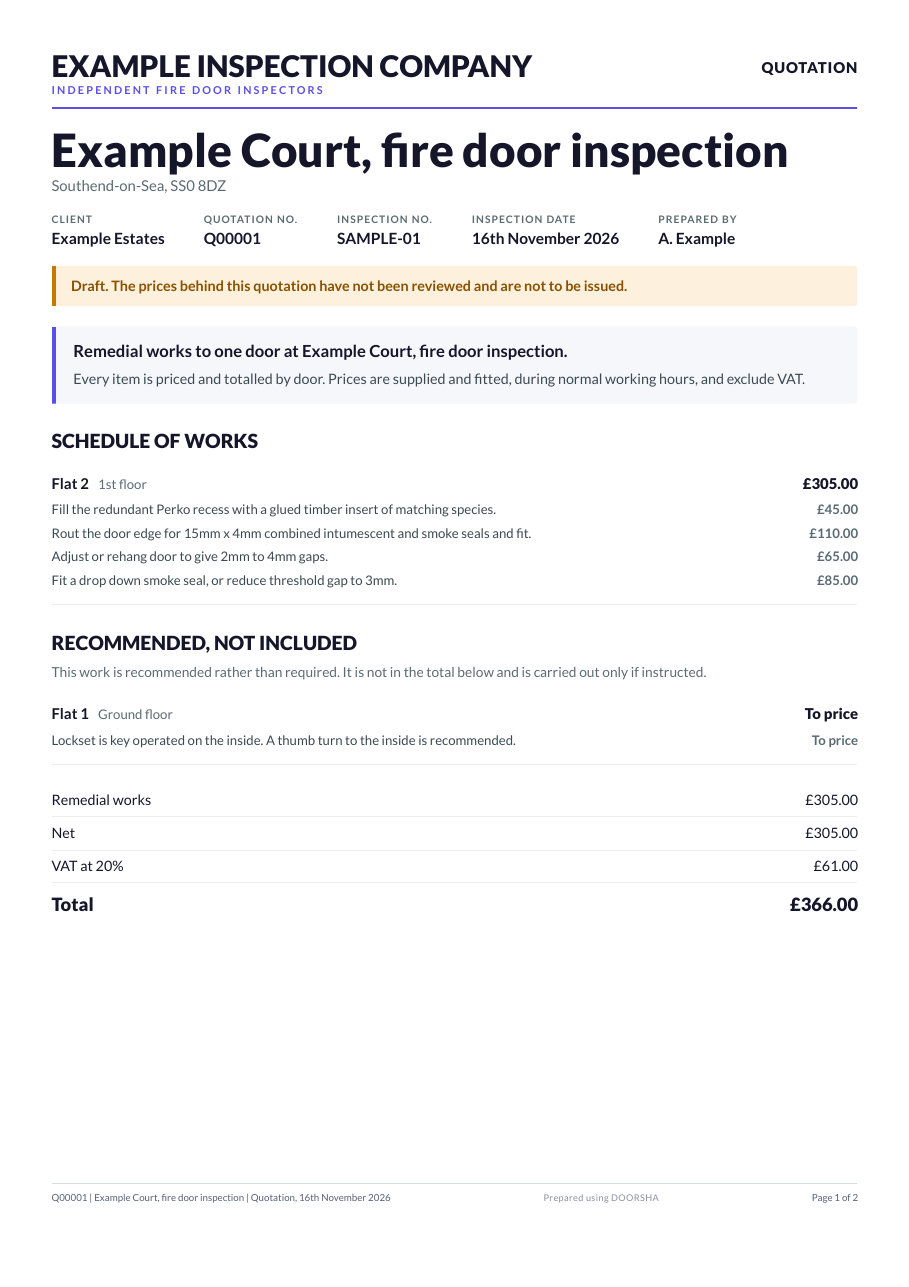
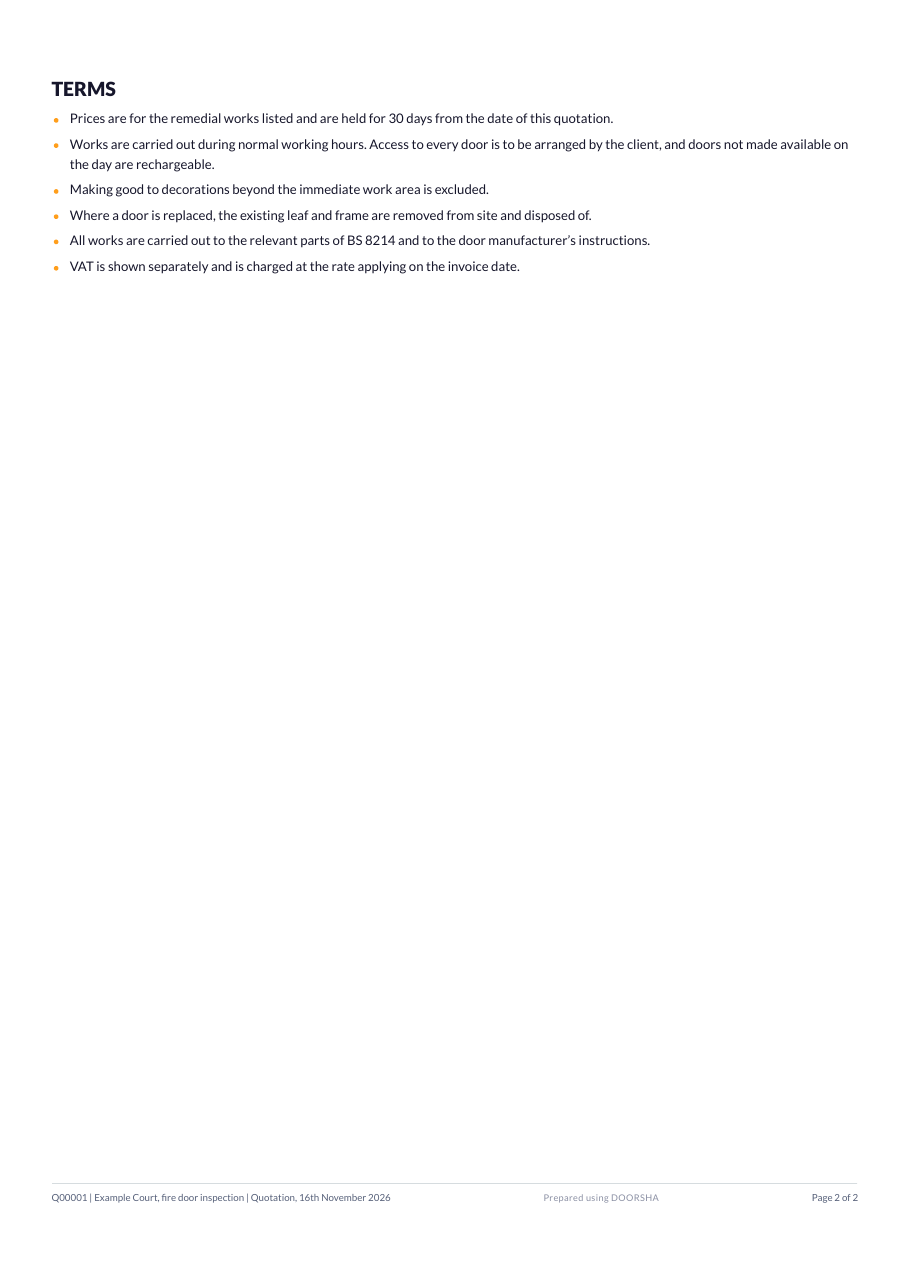
The remedial work from the same inspection, priced from a rate card and totalled by door. Recommended work is listed separately and is not added to the total.
- A schedule of works priced line by line and totalled per door
- A recommended, not included section held out of the total
- Net, VAT and total
- A draft marking while the prices behind it are unreviewed
Report branding
A report given to a client leads with the inspection company that issued it, with its own name and logo. DOORSHA is credited discreetly in the footer where it is configured to be. DOORSHA is never presented as having carried out or certified an inspection.
Next step
See a report built from a job you know.
A demo runs an inspection through to both documents so you can judge the format against your own work.