Features
Everything between the door and the document.
DOORSHA Inspect covers the whole job: arranging access, inspecting each door, issuing the report, pricing the remedial work and giving the client somewhere to read it. This page lists what it does today.
57 features in 9 groups.
01 · Capture on site
One door at a time, on the phone in your hand.
Built for a landing with one bar of signal and a clipboard you would rather not carry.
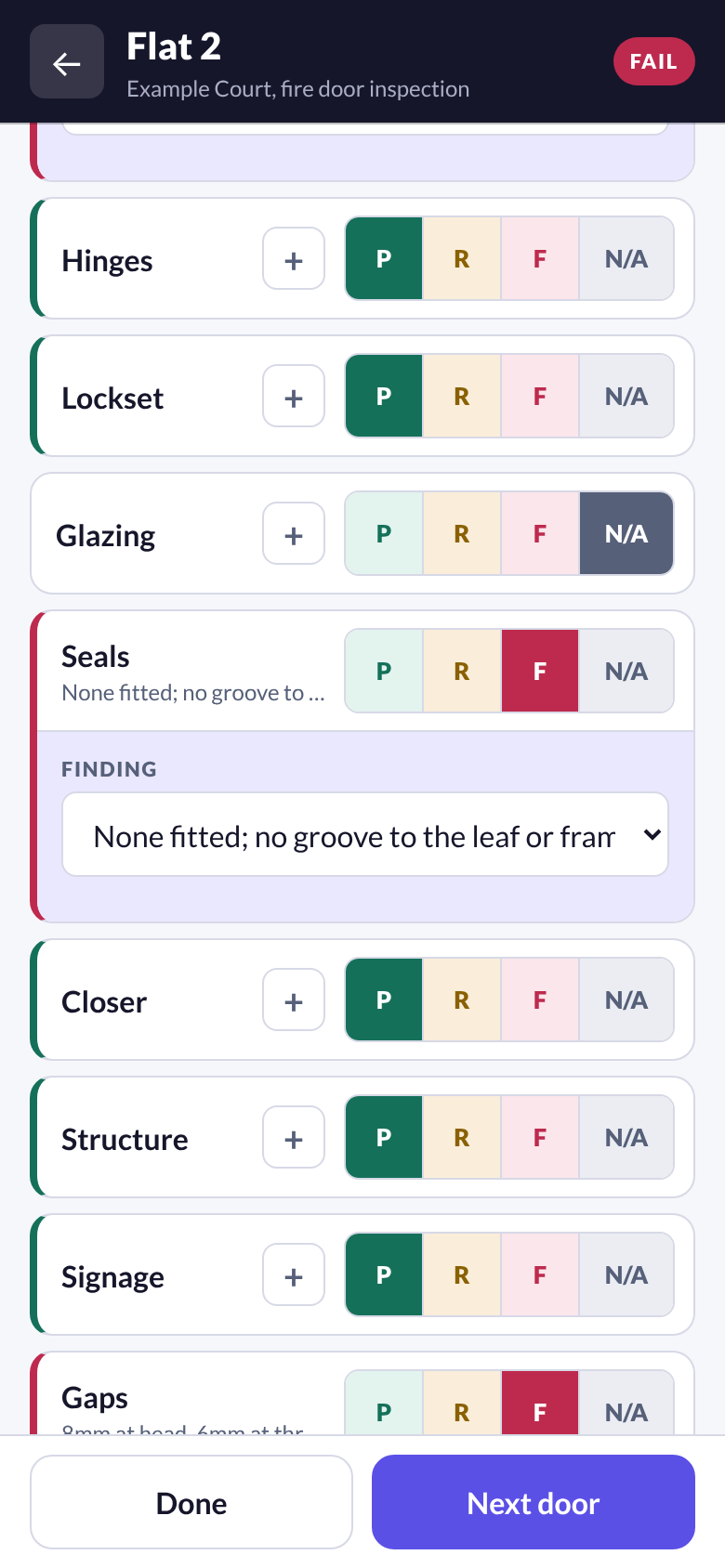
Ten components, four results
Frame, hinges, lockset, glazing, seals, closer, structure, signage, gaps and leaf. Each is pass, recommendation, fail or not applicable, in one tap.
A finding behind every fail
A fail or a recommendation asks for the reason at the door. A finding library offers standard wording and the matching repair, and the account owner can reword it.
Every gap, not any gap
Head, hinge, lock and threshold are measured. Gaps cannot be passed on a partial set, and the threshold allowance follows the rating the door is required to achieve.
Rating and its evidence
The observed rating is recorded with what supports it: a manufacturer label, an installer record, or nothing at all. The required rating is captured with where it came from, never assumed.
Photographs on the door
Pictures are taken against the door they belong to and travel with it into the report.
No access is not a pass
Inspected, incomplete, no access and not required are separate states, counted separately everywhere.
Works with no signal
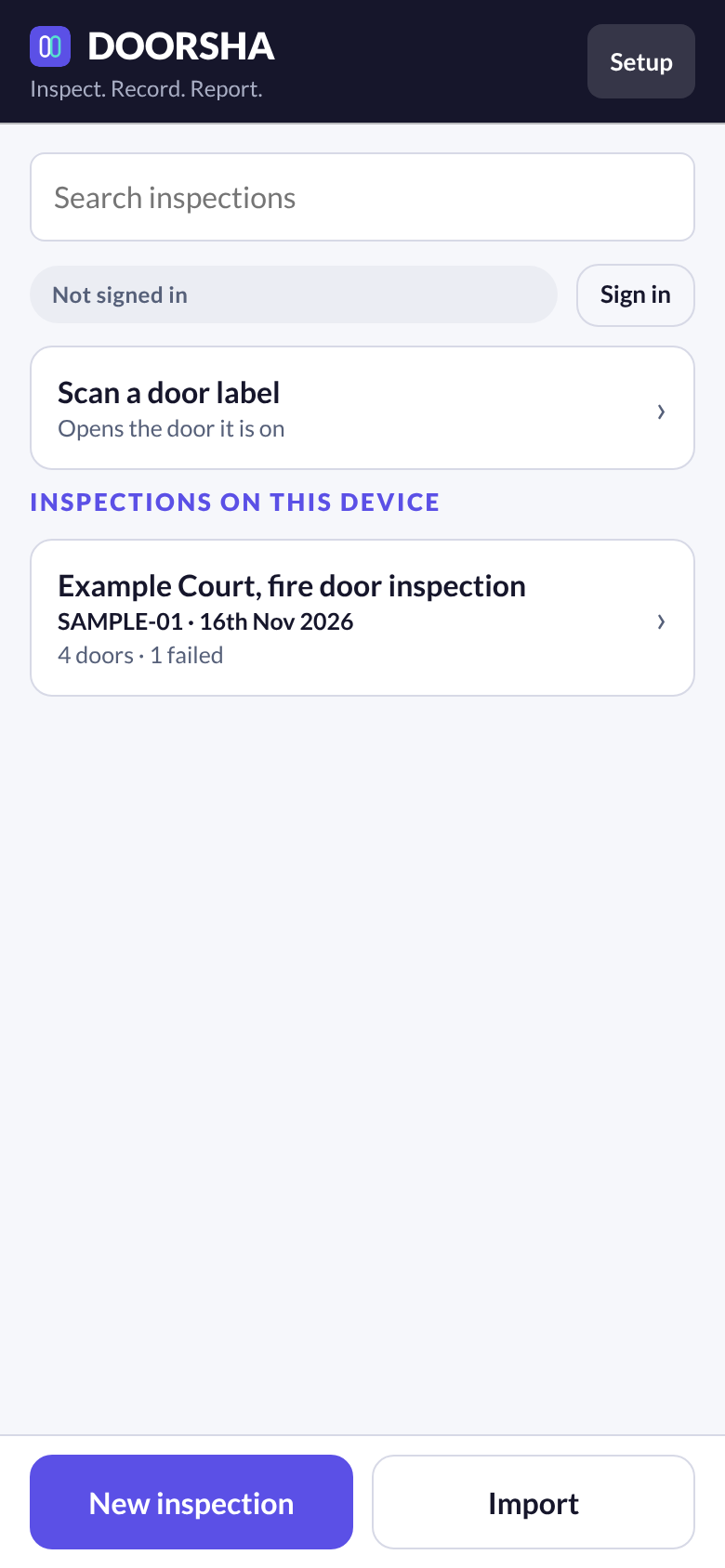
Every inspection is saved on the device first and is complete there. Signing in keeps a copy on the company account, so a lost phone does not take the work with it.
Priorities with a timescale
Urgent, high, medium and advisory, each with the period the work should be done in, printed against the action.
02 · Review
It will not issue what the record does not support.
One screen counts the doors, lists what is outstanding and says exactly why a document is being held.
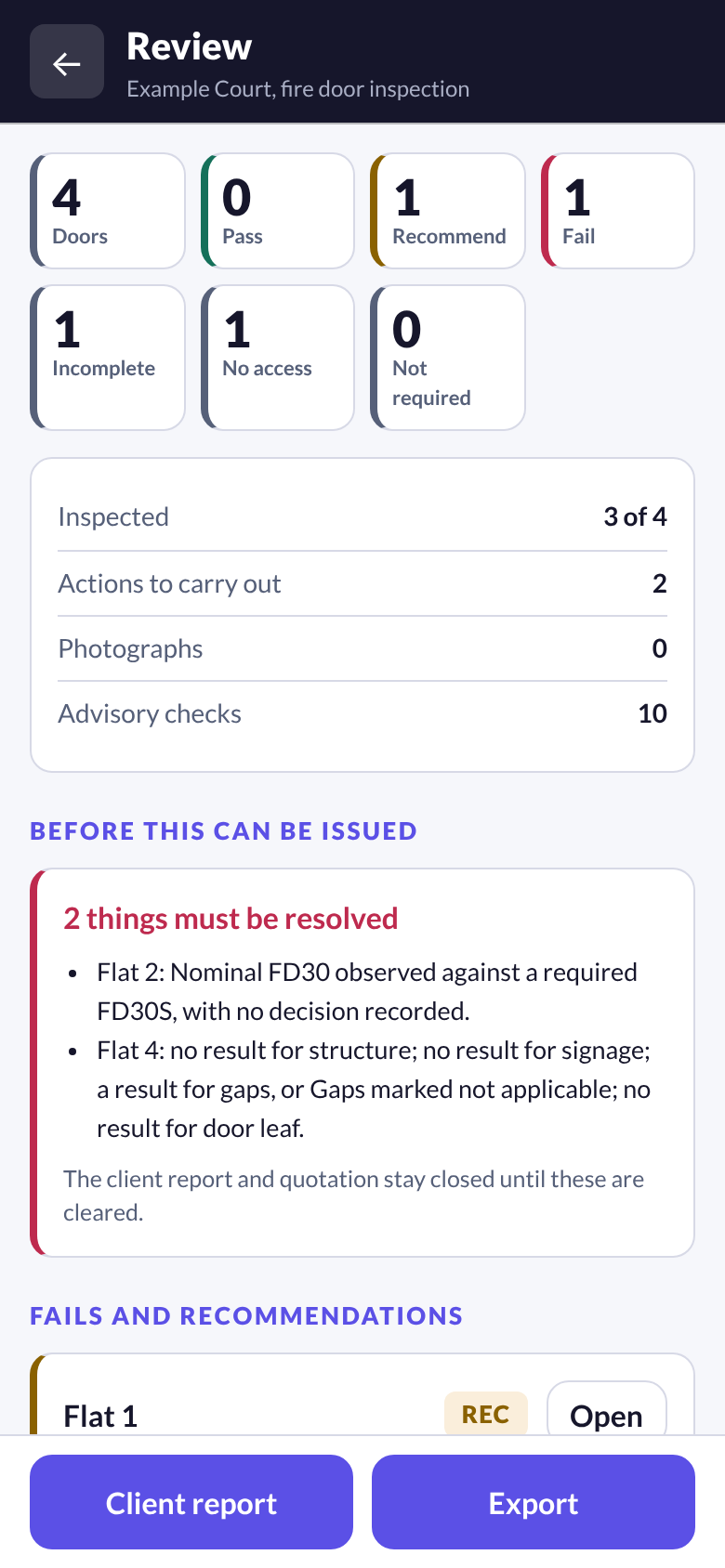
A short list that blocks
A component with no result, a fail with no finding, a failed door with no action, gaps passed on unmeasured edges. These hold the report because printing it would state something untrue.
A longer list that only advises
Size, materials, wall type and rating evidence are chased, not enforced. The report prints "Not recorded" and misleads nobody.
Reasons in plain words
The review screen names the door and the missing item, so the fix is one tap away.
Nothing assumed
A new door starts with no material, no type and no rating. A prefilled field would read in the report as an observation nobody made.
03 · Client reports
A report a tradesman can work from.
Produced from the record, with your company at the head of every page that matters.
Your name leads
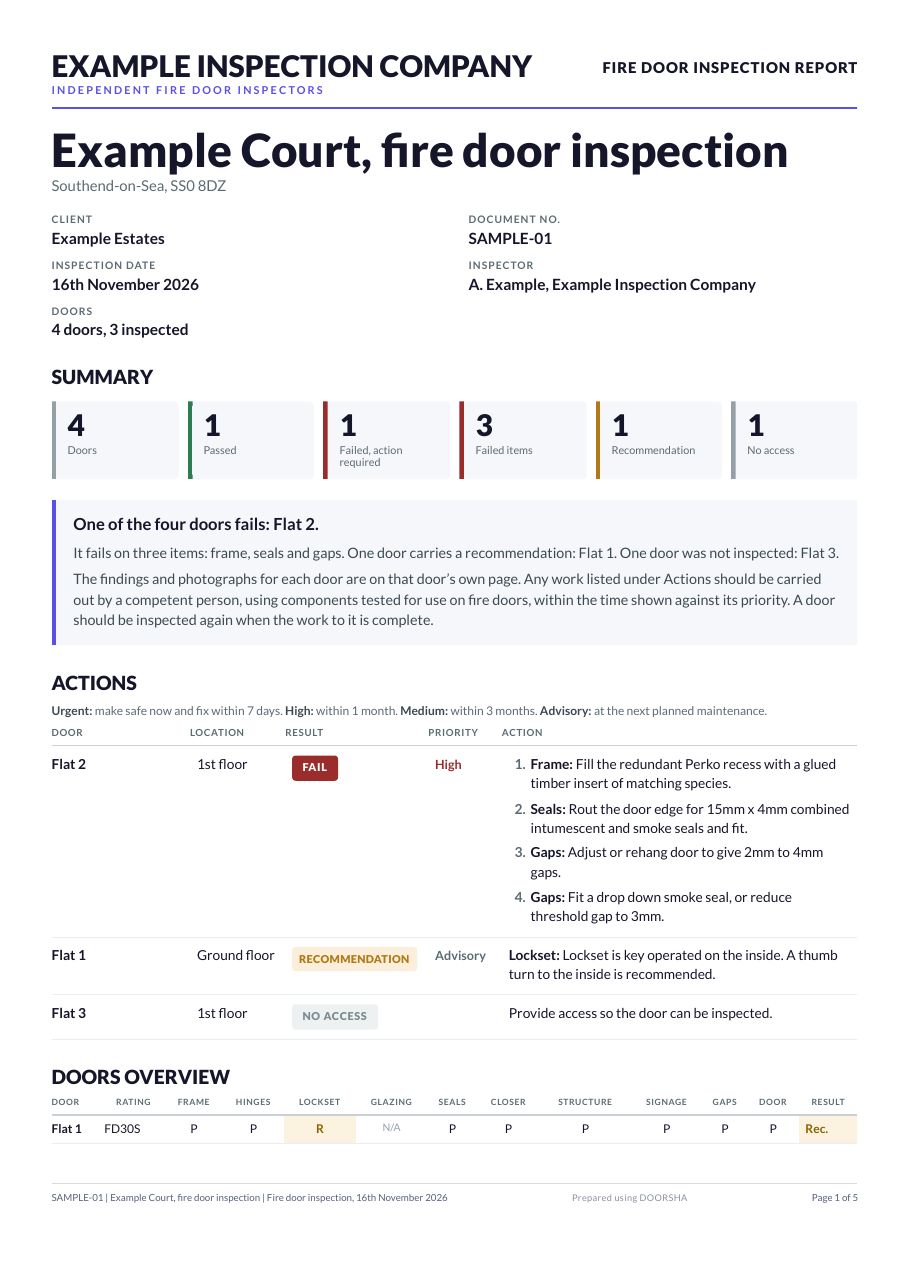
Your company name, logo and strapline head the document. DOORSHA is a discreet footer credit.
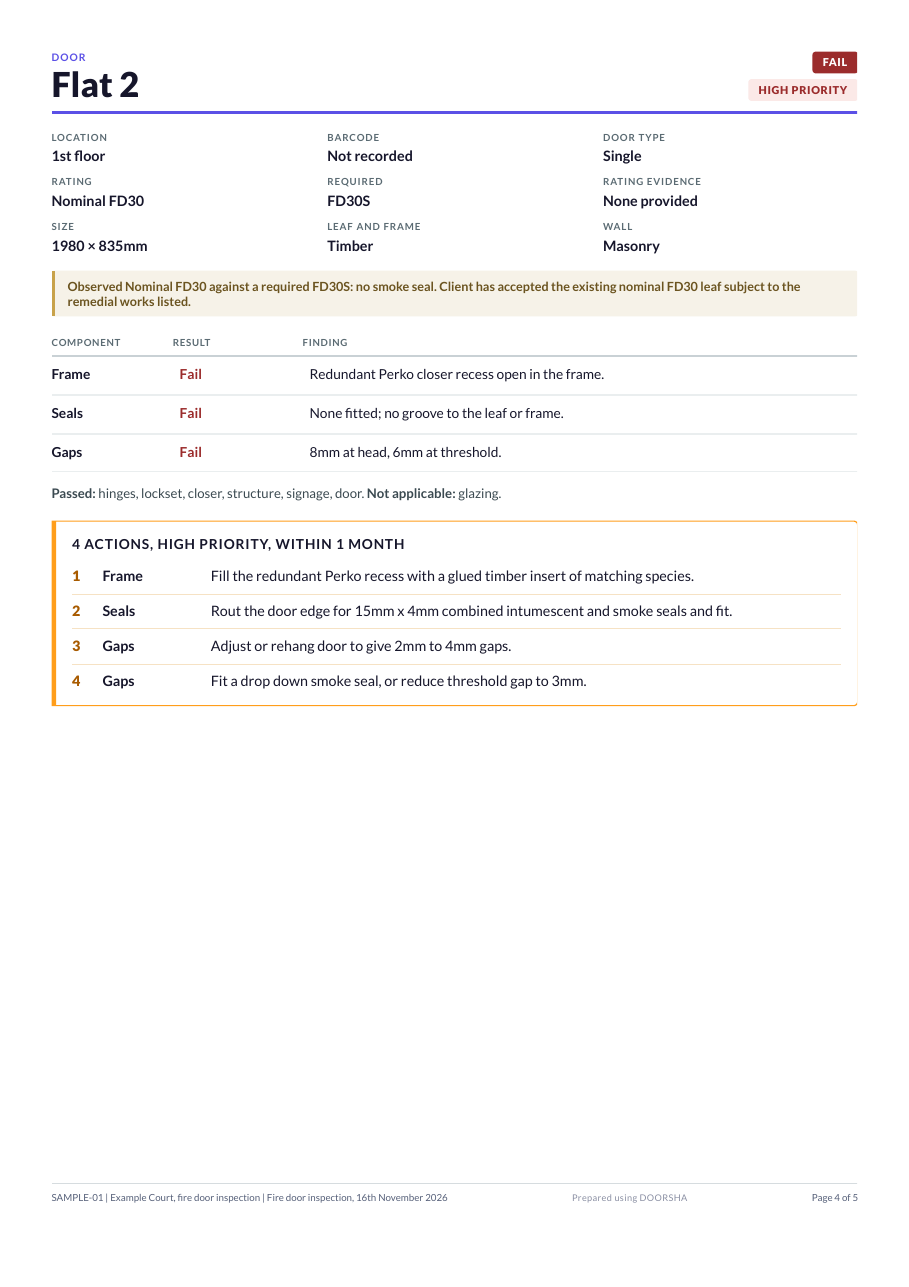
One action to a line
Each repair is a numbered line named for the component it puts right, so four repairs never read as one paragraph beside one fail.
Failed items as well as failed doors
One door can fail on several things. The front page counts both.
A door to a page
Results, findings, measurements and photographs sit together. Photographs are sized to the room left, so a door runs overleaf only when it truly has to.
A summary that drafts itself
The results are written from the findings, followed by your own standard wording. Either can be rewritten for one report.
Your wording, your disclaimer
The summary wording and the disclaimer start as standard text and are yours to change once, for every report.
Marked plans in the report
Tick a box and each floorplan with a door of this inspection on it is printed, with a legend and a numbered schedule.
Send it, print it, name it
Send the report as a link the client opens or as a PDF, from your own email. A saved file is named for its number, the building and the inspection date.
04 · Remedial quotations
The quotation comes from the same inspection.
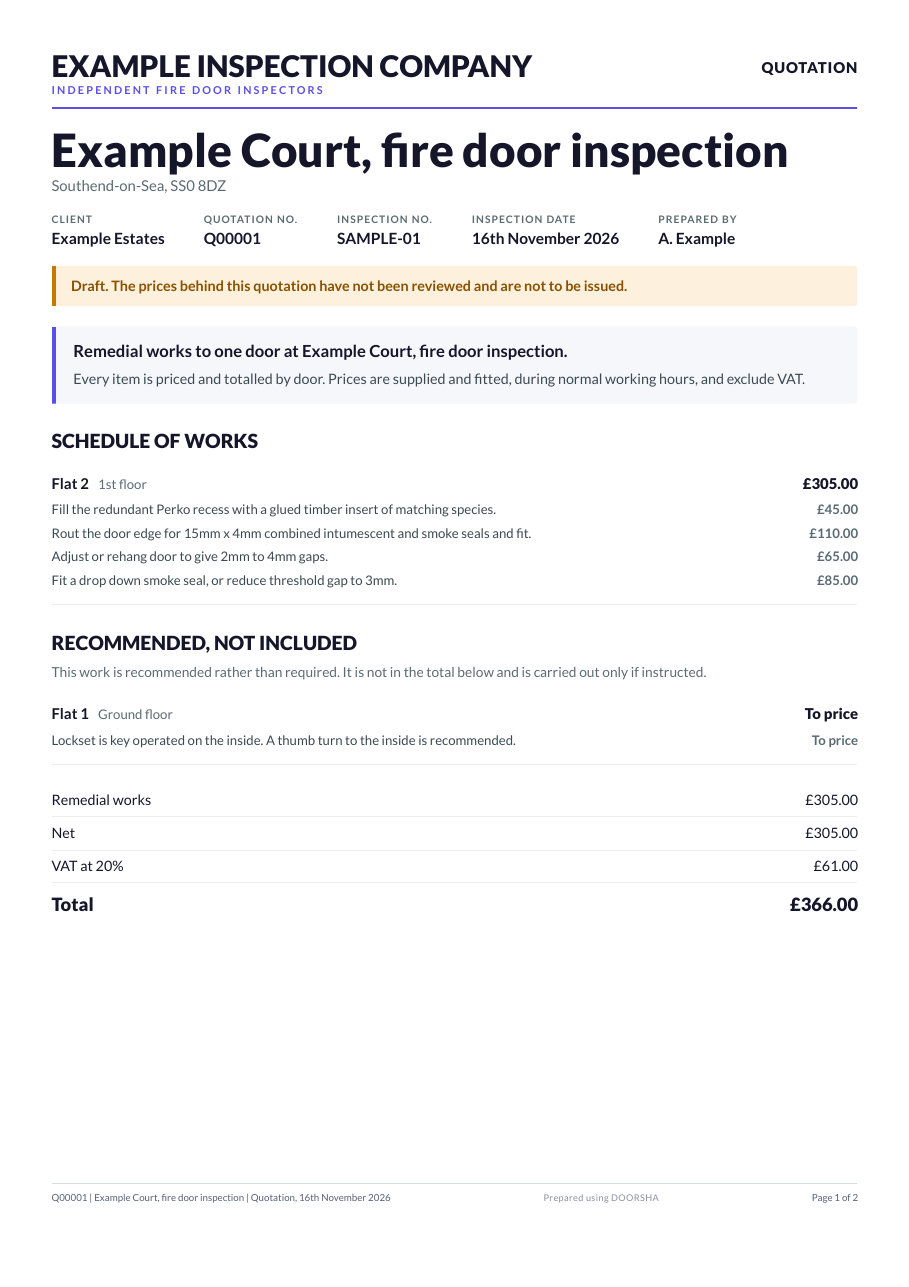
No second spreadsheet. The actions you recorded are the lines you price.
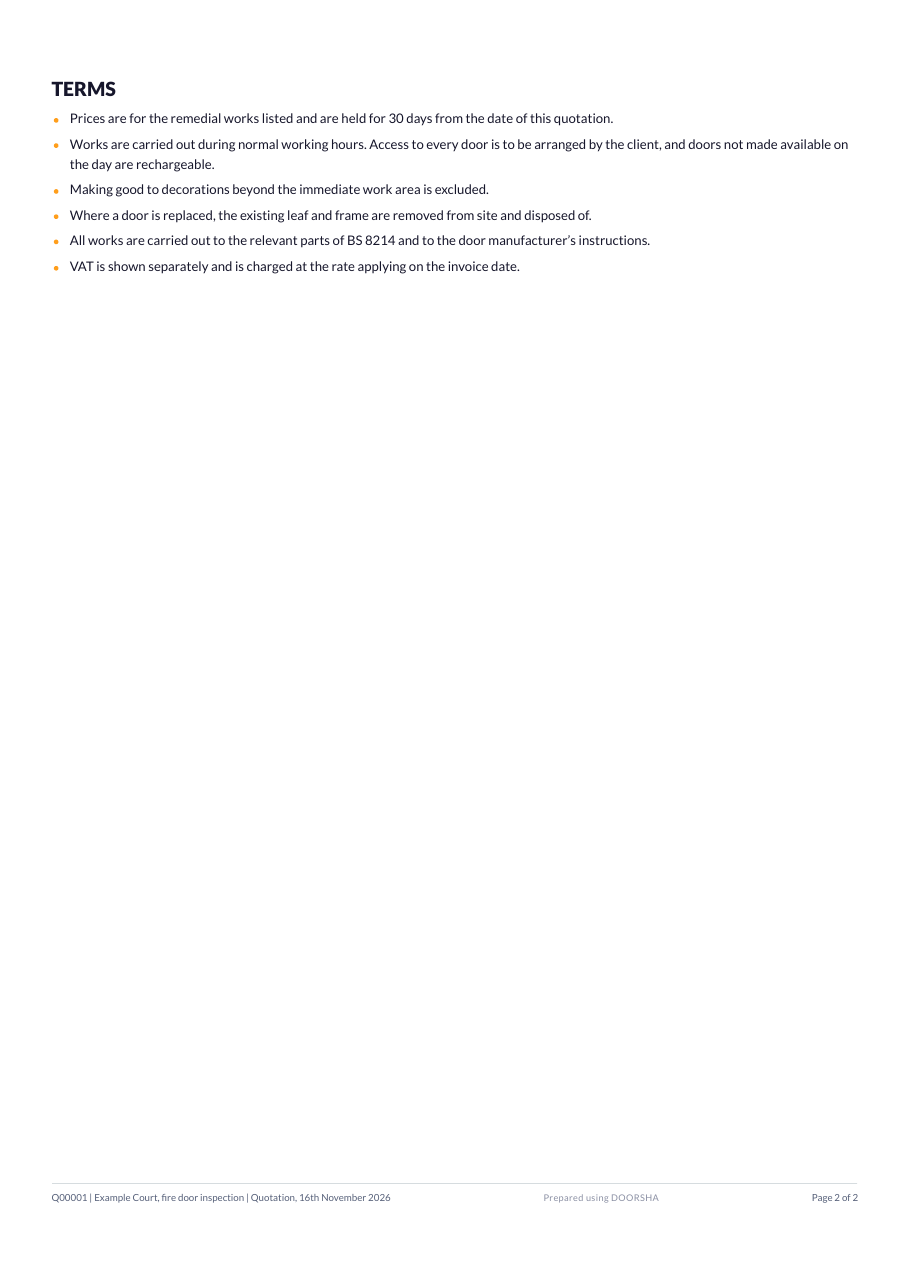
Your own rate card
Your prices, set once and kept on the company account.
A line to a repair, a total to a door
Each door is priced line by line, with net, VAT and total at the end.
Recommendations kept apart
Recommended work is listed in a section of its own and is never added to the total.
A zero is not a price
An unpriced line holds the quotation. Work that is free is marked No charge and says so.
05 · Door register and labels
A door keeps its history.
A building and its doors are lasting records. Each inspection is a dated visit to them.
Buildings and lasting doors
Inspections file themselves under the building at that address, and each door under its own record, visit after visit.
Start a reinspection
Next year the building hands you its doors, already listed, ready to be inspected again from nothing assumed.
Labels that start blank
Print sheets of numbered QR labels, 65 to a sheet, before anybody knows which door they will go on. Your own logo can sit beside ours.
Stick, scan, done
On site, stick a label on the door and scan it, or type its number. A check digit refuses a mistyped number. No signal needed.
Scan to open the door
A label already on a door opens that door. A damaged label is replaced by scanning a new one on.
Import an earlier report
Read in a previous PDF report, map its layout once and remember it, so a block already inspected by somebody else does not start as a blank list.
Putting the register right
An administrator can join two records that are one door, split one that is two, retire a door that was replaced and rename a building. Nothing is destroyed.
06 · Plans and documents
The building keeps its paperwork, and its doors have a place.
The fire strategy, the risk assessment, the floorplans and the certificates stay with the building, ready on the next visit.
Building documents
PDF, image, Word and Excel files up to 50 MB each. PDFs and images open in the app.
A file is never replaced
A new drawing is a new version. The old one is kept with everything that was placed on it.
Doors placed on plans
Tap the floorplan to place a door. Tap its pin to open it. A new revision of the drawing carries the positions across for you to confirm.
A shape, a letter and a colour
Each result has its own mark, so a plan still reads in black and white. A reinspection shows incomplete until its doors are inspected, never last year's pass.
Cite the source
A door can cite a document, a page and a note for its required rating or a finding. It records where something came from and never sets a result.
Plans kept offline
Keep a drawing on the device. Doors placed with no signal are saved when it returns.
07 · Visits and resident bookings
Residents book their own slot. No app, no account.
Getting through the flat door is half the job. DOORSHA arranges it without a week of phone calls.
Switched on company by company. Invitations go out as printed letters or as links from your own email.
Example Inspection Company
Fire door inspection, Flat 12
Example Court · Wednesday 25th November
No time suits? Ask to be contacted.
Set up a visit
A building, a day, an inspector, a start and a finish, the length of an appointment and any breaks. The form tells you how many appointments that gives.
A private link for each flat
Print one invitation letter per flat with its link and QR code, or copy every link into your own email. A leaseholder can pass it to a tenant.
Book, change or cancel on a phone
A resident picks a time and gives a name and a number. A second private link changes or cancels it. If no time suits, they ask to be rung.
No double bookings
One appointment per time and one per flat, decided by the database. Two people asking for the same slot at the same moment: exactly one gets it.
Staff stay in charge
Book a flat that rings in, move or cancel an appointment, correct a contact. Change the day and the app lists who is affected before it does anything.
What happened at the door
No answer, access refused or another access issue, recorded with the time and a factual note. It never marks a door as inspected.
A printed schedule
Work from paper on the day, or from the visit screen on the phone.
08 · Client portal
Your client reads the record. They do not ring for it.
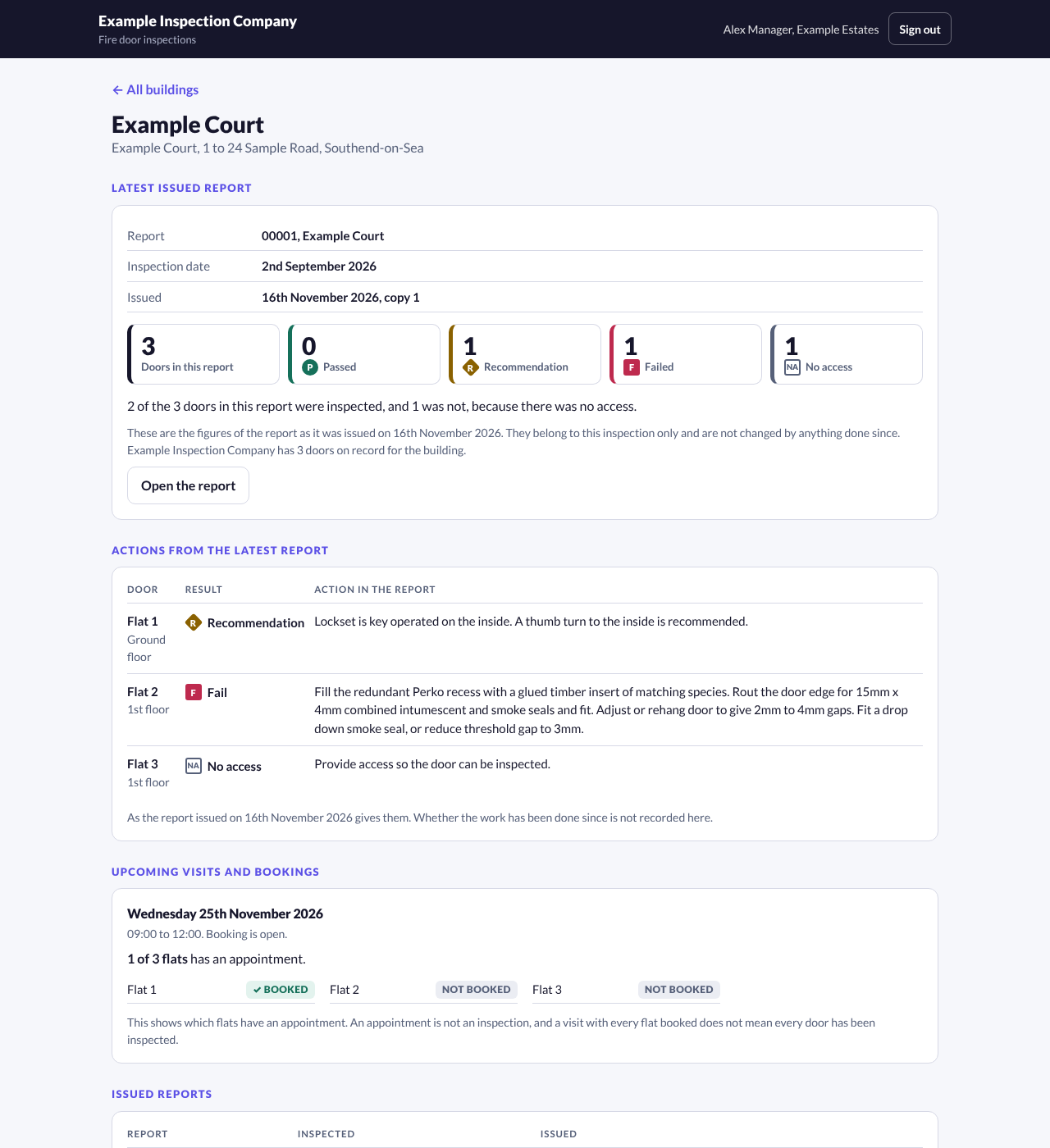
A read only window for the managing agent or landlord, headed with your company name.
Switched on company by company. People at a client never take a seat.
Named people, chosen buildings
Invite each person by a link that works once. Give them all of the client's buildings or only some.
Issued reports, latest first
The current report and the earlier ones, opened as they were issued. Nothing in draft is ever shown.
Figures that belong to a report
How many doors the report covered and with what result, always beside the report they came from and never recalculated afterwards.
Actions as the report gave them
The list of what needs doing, door by door.
Booking progress
Which flats have an appointment for an upcoming visit. No resident name, number or note reaches a client.
Documents you choose to share
Everything is internal until you share it, one document at a time, and you can take it back.
Access removed at once
Remove a person or archive a client and they are signed out on their next press.
09 · Team and account
One account, as many hands as the job needs.
Roles, seats and a record that survives a dropped phone and a departed inspector.
Owner, administrator, inspector
An administrator adds people, changes a role, suspends somebody and brings them back. Nobody but the person knows their working password.
Backup that sends what changed
After the first backup a device sends only what is new, so a weak signal is enough.
Two inspectors, one block
Work merges by door. A door only one person has is added, the newer edit wins, and two different doors given one name are reported, never joined.
Suspend, never delete
A departed inspector frees their seat and keeps their name on their work.
Companies kept apart
On the account and on a shared device, one company never sees or sends another's inspections.
An audit trail
Who changed what, and when. Removed records are kept, because an inspection is evidence.
What it does not do
No certificate. No compliance light.
DOORSHA does not assess a door, certify anything or confirm compliance with any legislation or standard. It records what a competent inspector found and refuses to issue a document the record does not support. The judgement, and the responsibility for it, stay with the inspector and the issuing company.
Next step
See all of it on one job.
A demo runs a building from the first booking letter to the client portal.